Approving & Resolving Access Requests
In zero-trust environments, administrative elevations requiring manual oversight must be reviewed and authorized by designated approvers. PAM-Pro streamlines the approval lifecycle with real-time alerting, multi-channel review options, and immutable audit logging.
Approver Notifications & Alerts
When a user submits an elevation request under an approver-gated policy, authorized approvers are alerted immediately across multiple channels:
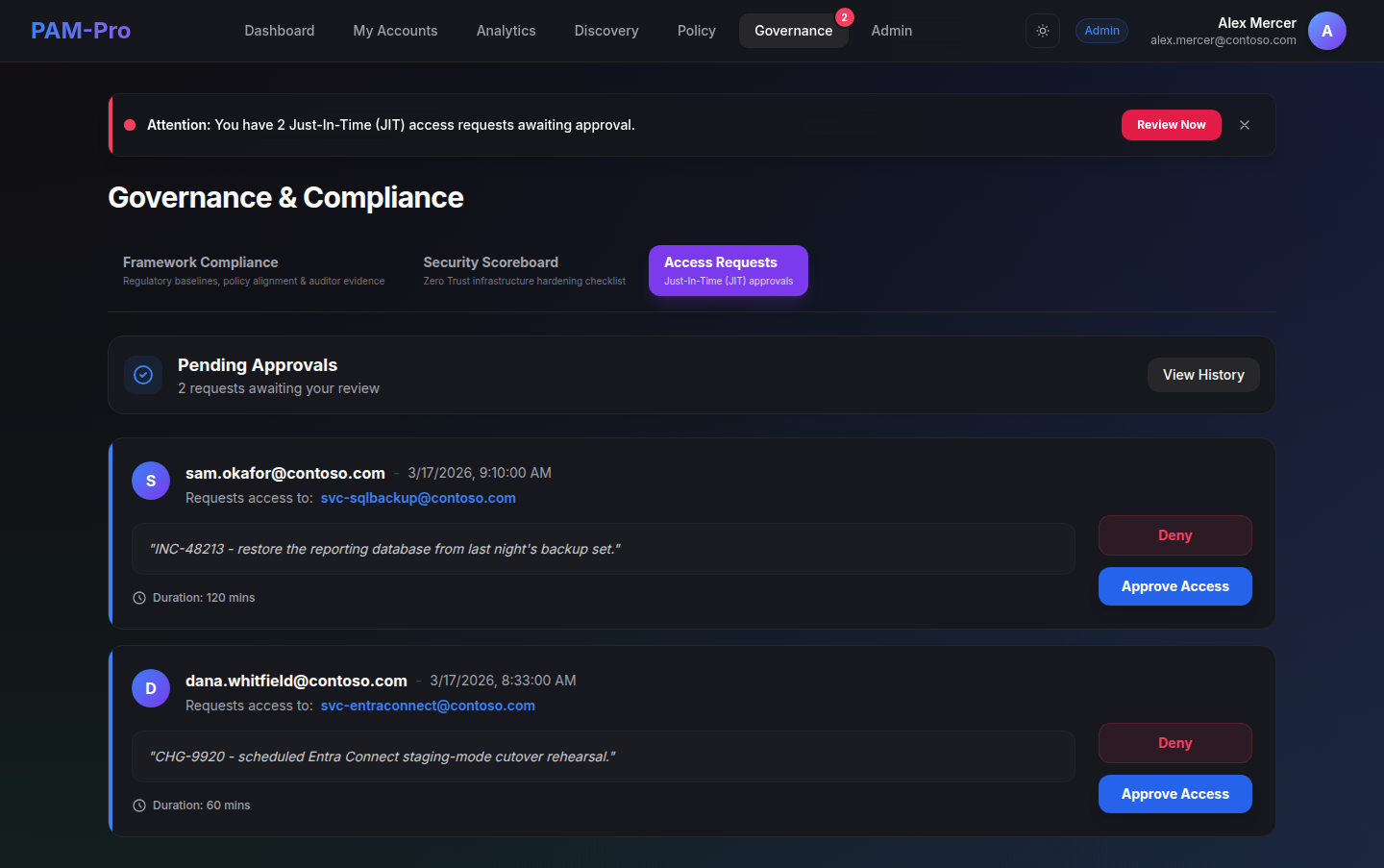
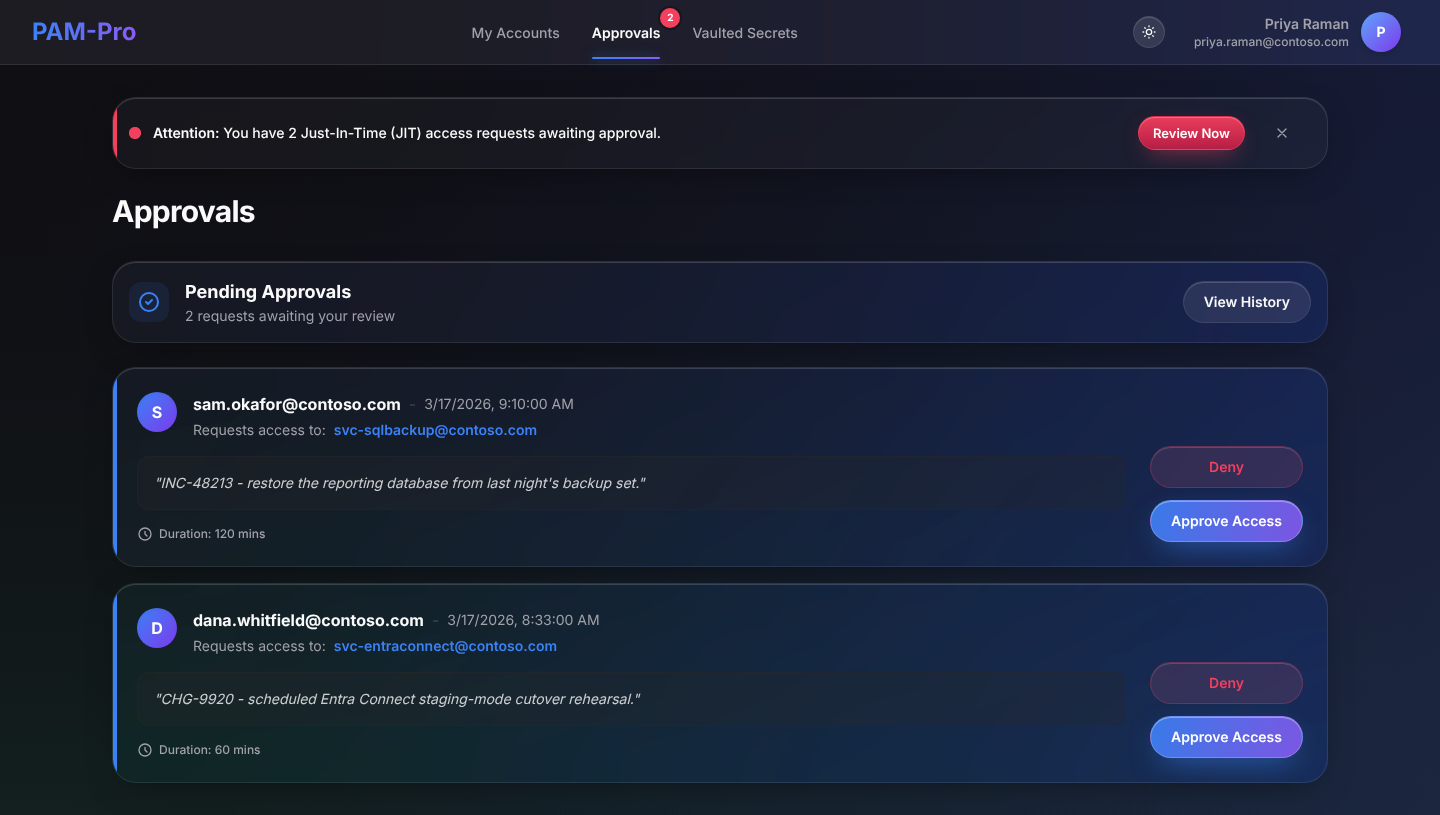
- Navigation Badge Counter: A dynamic badge on the main navigation bar highlights the count of pending approval requests in real time.
- Notification Banners: In-app banners announce incoming requests and provide a one-click deep link directly to the resolution interface.
- Email Notifications: If configured via the SMTP or Microsoft Graph mail relay, an email alert is dispatched with request metadata and direct portal links.
Reviewing Pending Requests
Approvers can review and act on elevation requests from two convenient locations within the portal:
- Governance › Access Requests: The dedicated Access Requests panel lists all open and historic requests. Approvers can filter by requester identity, target account, status, and submission date.
- Admin Dashboard Quick Actions: On the main administrative accounts table, accounts with pending elevation requests feature dedicated Approve and Deny actions inside the row action kebab menu for rapid processing.
Approvers do not need to be administrators. A user named as an approver on a policy sees the same navigation badge and the Approvals page, which lists only the requests they are allowed to decide. A requester never sees their own request in that queue.
The Resolution Process
When reviewing an open elevation request, the approver must evaluate:
- Target Account: The specific privileged identity being elevated.
- Requester Identity: The UPN and display name of the user requesting access.
- Business Justification: The rationale provided for the elevation.
- Ticket ID: The change control or incident ticket number linked to the operation.
- Requested Duration: The access window requested by the user.
To finalize the decision:
- Select Approve or Deny.
- Optionally enter resolution notes (e.g., specific scope restrictions or reasons for denial).
- Confirm the decision. The requester is instantly notified, and the account status updates immediately.
Audit Logging & Compliance Integrity
To satisfy SOC 2, HIPAA, NIST 800-53, and ISO 27001 auditor requirements, every action taken on an elevation request is cryptographically stamped and written to the Write-Once, Read-Many (WORM) audit log:
- Identity of the requesting user and submission timestamp.
- Submitted business justification and ticket reference.
- Identity of the approver and exact timestamp of resolution.
- Decision outcome (Approved or Denied) and approver comments.
- Effective elevation expiration timestamp.
© 2026 Huntoso LLC. All rights reserved.