Naming Conventions
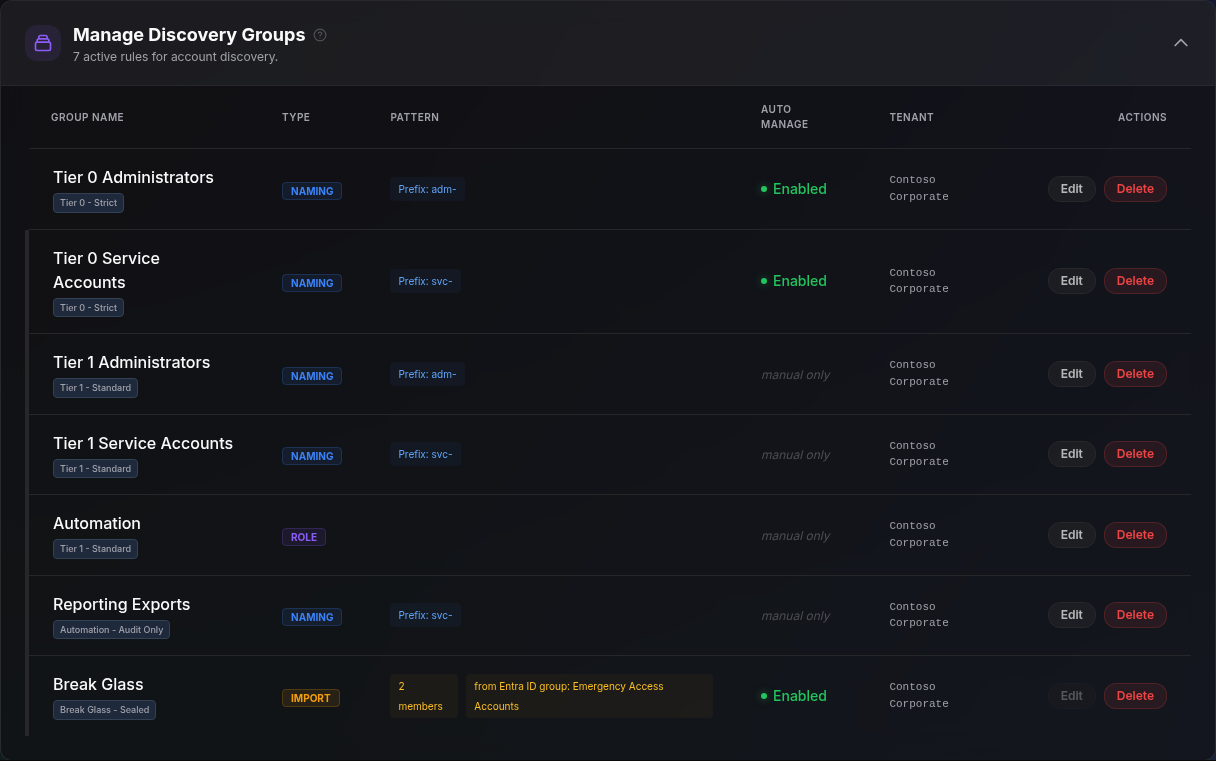
PAM-Pro uses prefix and postfix patterns on Discovery Groups to identify privileged accounts. Understanding how these patterns work and how accounts are matched to users is important for setting up accurate auto-assignment.
How Discovery Matching Works
When you create a Discovery Group, you specify a Prefix and/or Postfix pattern. PAM-Pro scans your Entra tenant and flags any account whose UPN (User Principal Name) matches that pattern. Matching is case-insensitive.
Example: A Discovery Group with Prefix adm- will match:
[email protected]- matches[email protected]- matches (case-insensitive)[email protected]- does not match (no prefix)[email protected]- does not match (prefix must be exact)
A Discovery Group with both Prefix adm- and Postfix -admin will match accounts that have EITHER pattern (prefix OR postfix match). The patterns are additive - an account only needs to match one to be included.
UPN-Based Auto-Assignment
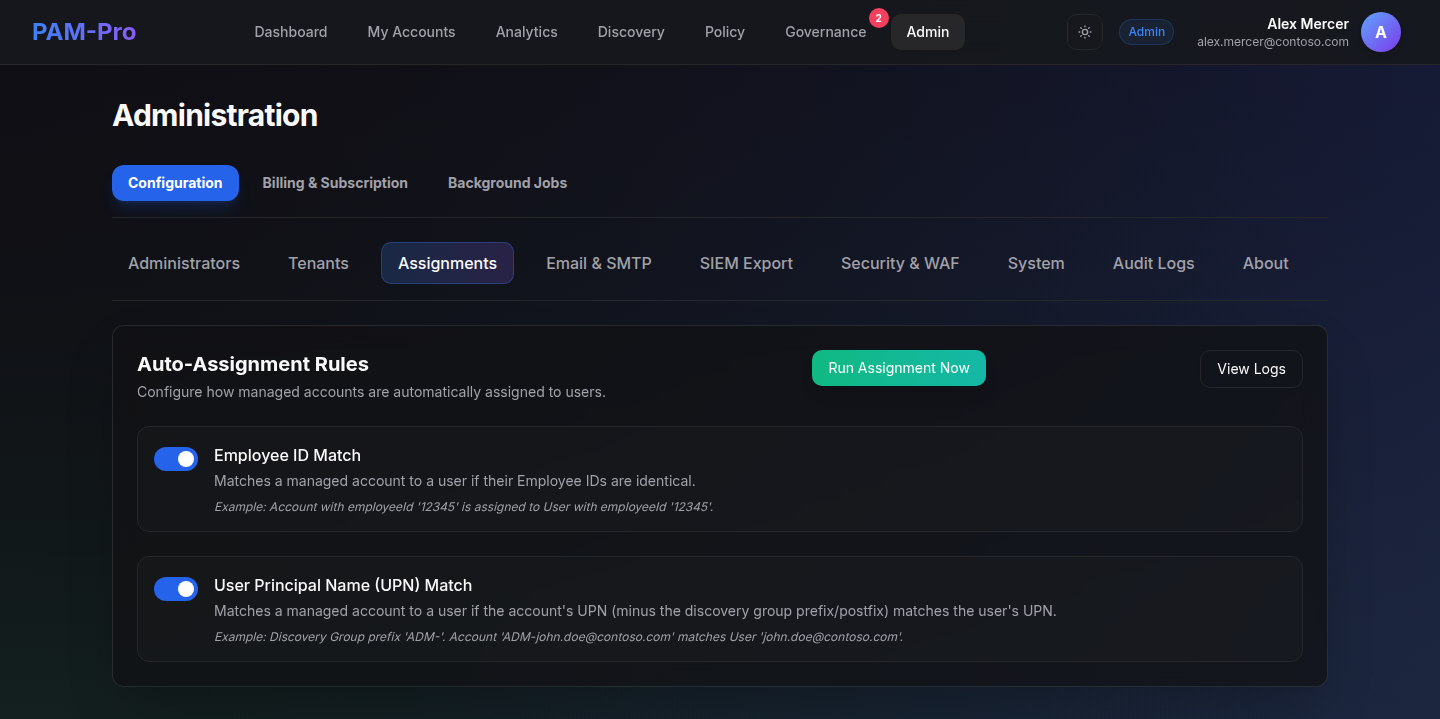
When the UPN Match auto-assignment rule is enabled (Settings › Assignments), PAM-Pro links a managed account to a user by stripping the Discovery Group prefix and/or postfix from the account UPN and comparing the result to user UPNs in your directory. This comparison is also case-insensitive.
Example: Discovery Group prefix is ADM-. Account UPN is [email protected].
- Strip the prefix:
[email protected] - Search your directory for a user with UPN
[email protected](case-insensitive). - If found, the managed account is automatically assigned to that user.
Display Name Matching
In addition to UPN matching, PAM-Pro also attempts display name matching during discovery. If an account's Display Name in Entra ID contains the prefix or postfix pattern, it may be surfaced as a candidate even if the UPN does not strictly match the pattern. Display name matching is supplemental - UPN matching is the primary mechanism.
Best Practices
- Use a consistent prefix across all privileged accounts in your organization (e.g.,
adm-,svc-,break-). - Avoid patterns that are too broad (e.g., a single letter prefix) as they will produce false positives in discovery scans.
- Test your pattern by creating the Discovery Group, running a scan, and reviewing the Discovered Accounts list before enabling Auto Manage.
© 2026 Huntoso LLC. All rights reserved.