Audit Trail & Outbound SIEM Forwarding
PAM-Pro records every security-sensitive operation across your tenant into an immutable, tamper-evident audit trail. From account discovery and policy changes to credential reveals, check-ins, and emergency force-checkouts, every event is permanently cataloged to satisfy strict SOC 2, HIPAA, NIST, and ISO 27001 requirements.
Navigating the Global Audit Trail
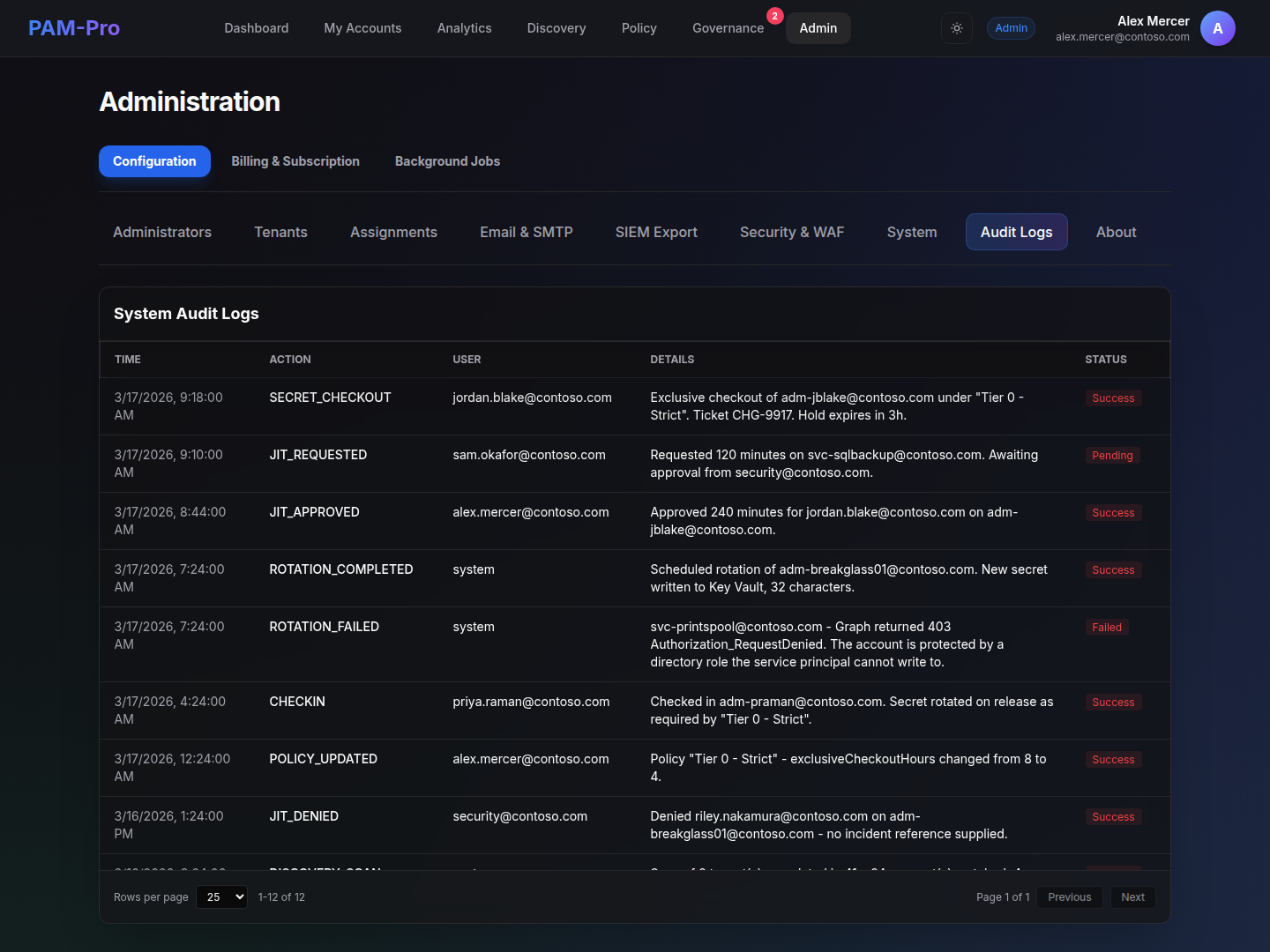
Administrators access the audit trail by navigating to Governance › Audit Trail (or Audit Logs). The audit dashboard offers powerful investigation tools:
- Filtering & Search: Search by user UPN, target account, action type (e.g.,
CHECKOUT,CHECKIN,ROTATE,FORCE_CHECKOUT,JIT_APPROVE), or timestamp range. - Table Pagination: Audit logs feature responsive table pagination with a configurable 25, 50, or 100 rows-per-page selector, backed by a 500-event operational window.
- Full Event Payloads: Expand any log entry to inspect the raw JSON metadata, including caller IP address, client user agent, correlation IDs, and justification strings.
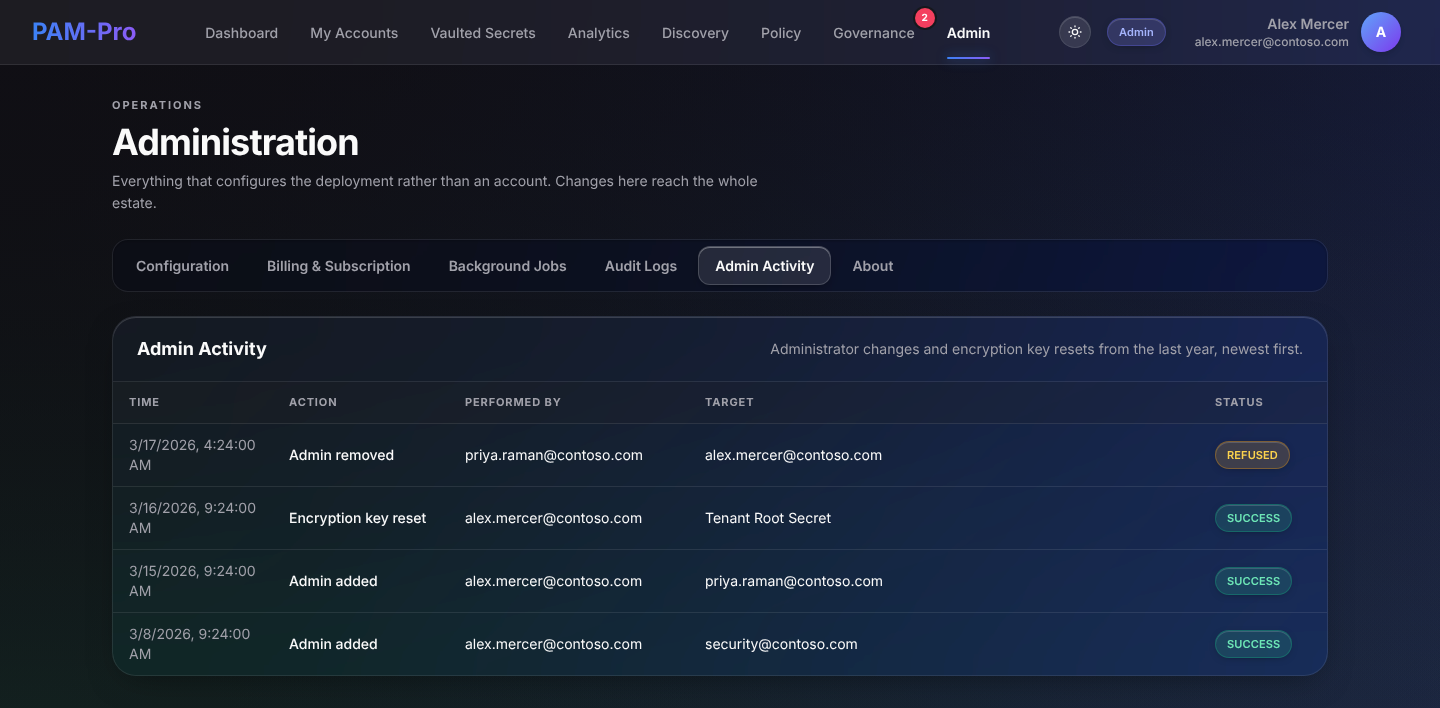
A second tab, Admin Activity, records what administrators did to the deployment itself, as distinct from what happened to accounts: who changed a setting, onboarded a tenant, edited a policy or activated a module.
Tamper-Proof Storage (Azure Blob WORM)
Unlike conventional databases where records can be updated or pruned, PAM-Pro writes audit entries directly into an append-only Azure Blob Storage container protected by Write-Once, Read-Many (WORM) legal hold policies:
- Hardware-Enforced Immutability: Azure Blob Storage immutability policies guarantee that log entries cannot be overwritten, modified, or deleted by any user or service principal within the retention window.
- Cryptographic Hash Integrity: Daily rolling append blobs (NDJSON format) maintain verifiable SHA-256 chain-of-custody hashes for auditor validation.
Outbound SIEM Audit Forwarding
To integrate PAM-Pro with your existing Security Operations Center (SOC) and Incident Response tooling, PAM-Pro provides native real-time audit forwarding to external SIEM platforms.
Supported Destination Types
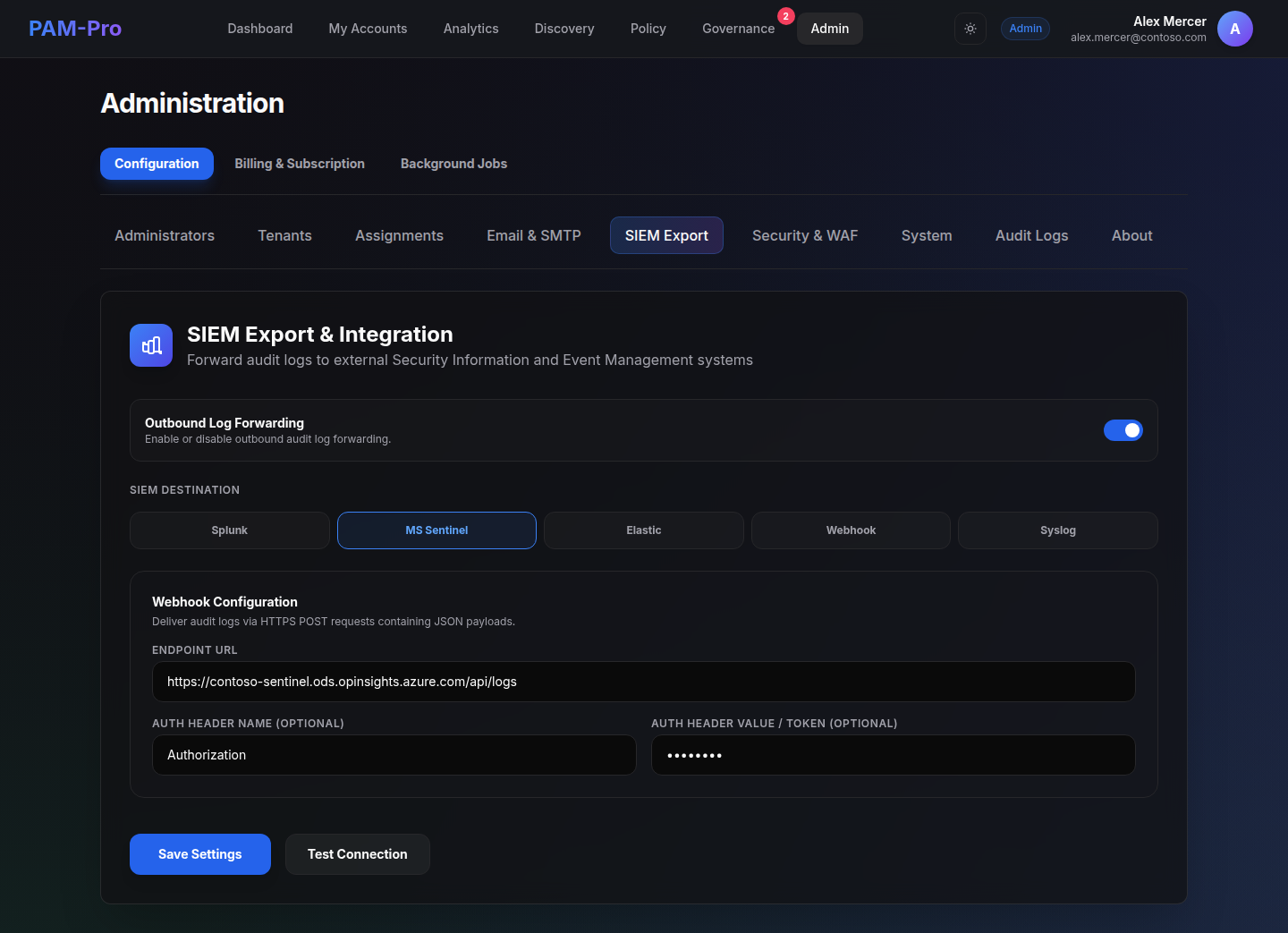
Under Settings › SIEM Export, administrators can configure streaming exports to:
- Microsoft Sentinel & Splunk: Direct integration via HTTPS Webhooks and REST collectors.
- Elasticsearch & Custom Webhooks: Stream JSON payloads directly to internal API gateways or webhook receivers.
- Syslog Collectors (UDP, TCP, TLS): Forward events to enterprise log concentrators over RFC 5424 (structured data), RFC 3164 (legacy BSD syslog), or raw JSON formats.
Zero-Secret Credential Management
SIEM authentication tokens, bearer headers, and shared secrets are stored securely within your tenant's dedicated Azure Key Vault rather than application config files, maintaining PAM-Pro's zero-secret architectural standard.
Asynchronous, Non-Blocking Architecture
Audit forwarding runs asynchronously in an isolated background queue. A slow, throttled, or temporarily unreachable SIEM endpoint will never impede credential checkouts, rotations, or administrative operations within the portal.
© 2026 Huntoso LLC. All rights reserved.