Rotate Tenant Root Encryption Key
In standard architectural configurations, PAM-Pro utilizes Azure Managed Identities which autonomously rotate backend credentials without manual intervention.
When to Perform a Manual Rotation
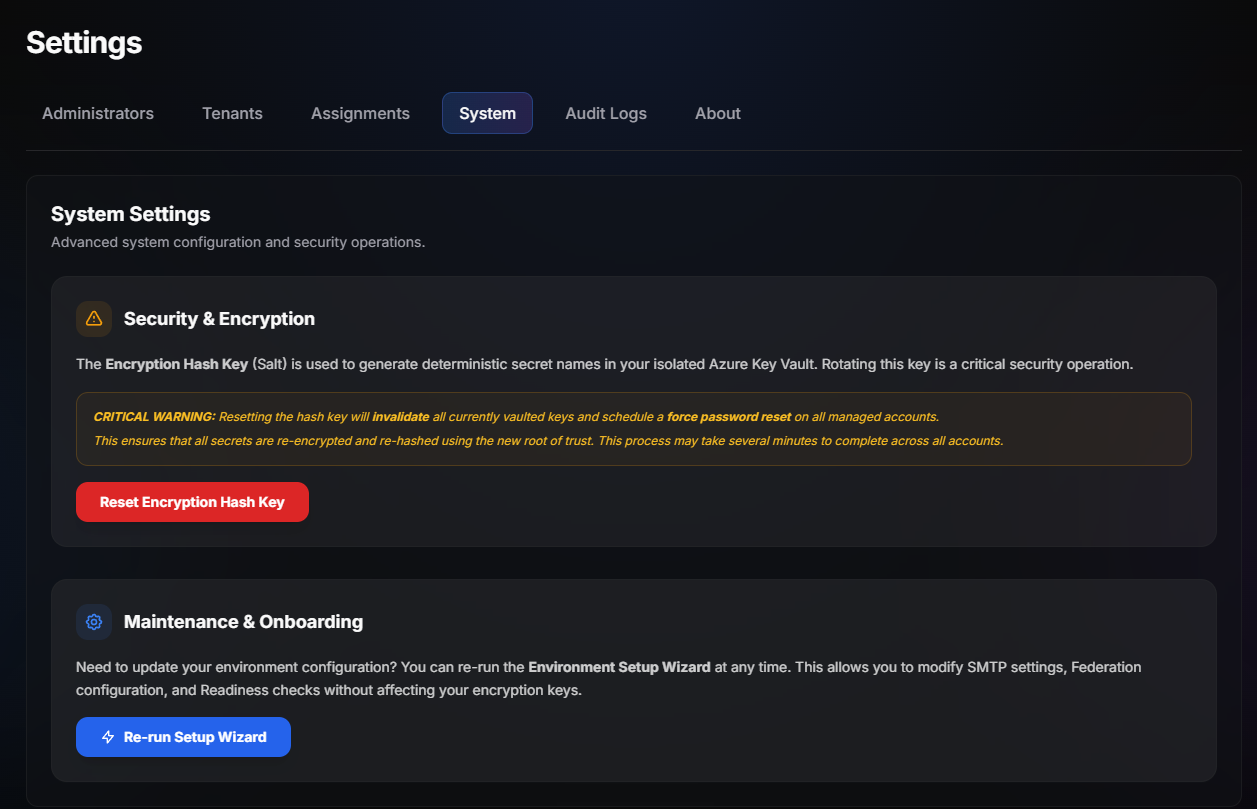
If you suspect an active compromise within the physical boundary of your key vault, or if your organization demands a manual rotation policy explicitly out of band from Azure's backend timers, follow these steps:
- Navigate to Administration > Cryptographic Core.
- Select your active backend
Tenant Root Encryption Key. - Click Force Cryptographic Regeneration.
Expected Downtime
During a manual rotation sequence, PAM-Pro's central control plane cannot broker physical access tokens. Any active Just-In-Time checkout requests will be queued until the new secret material finishes syndicating to the application endpoints (typically 45 - 90 seconds). Active sessions that have already been authorized and initiated are completely unaffected.
© 2026 Huntoso LLC. All rights reserved.