System Initialization
The initialization process configures the PAM-Pro foundation, aligning identity providers, storage, and communication channels for your enterprise tenant.
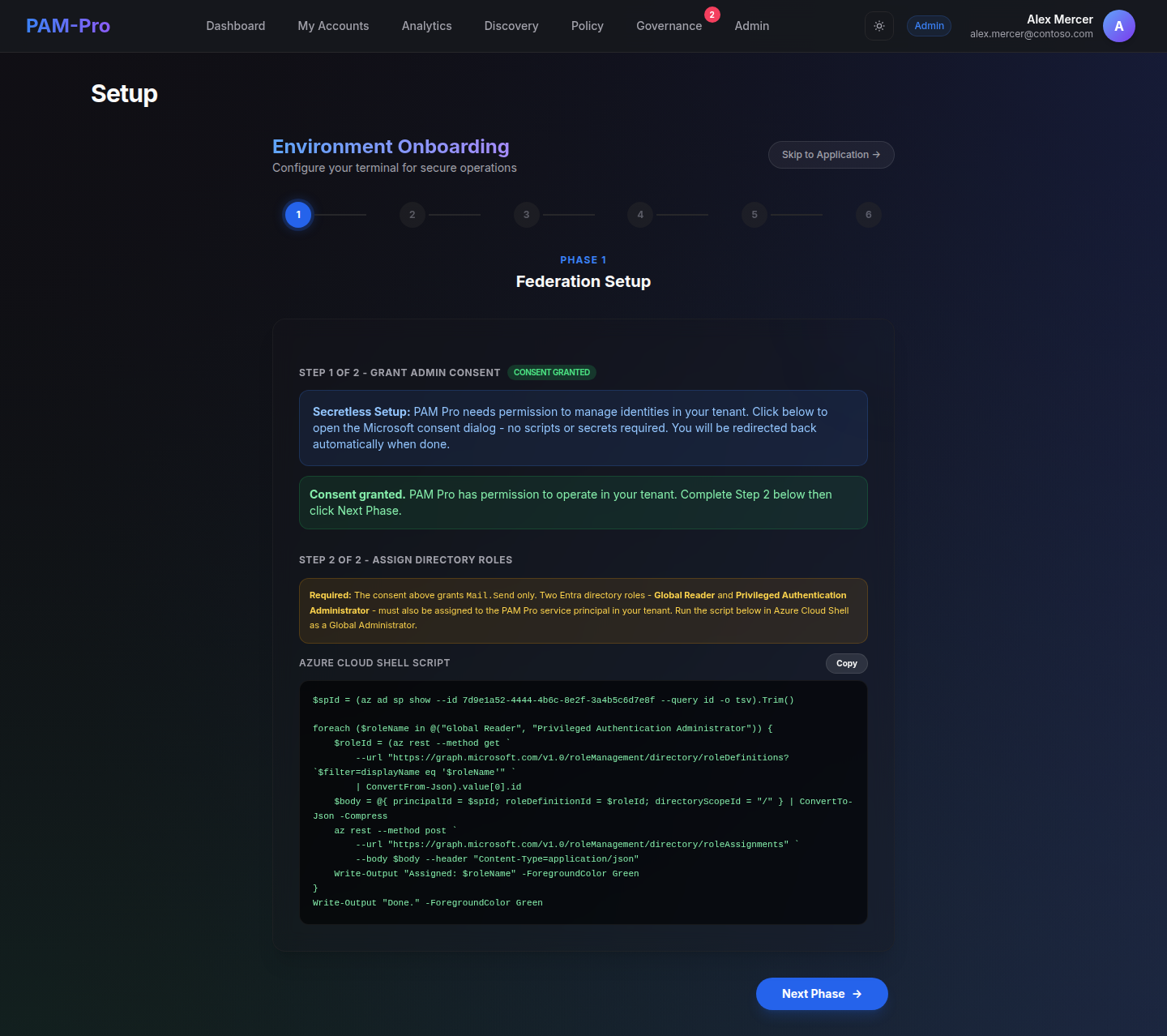
Follow these steps to initialize your PAM-Pro instance.
1. Access the Setup Portal
Upon initial deployment, navigate to the root URL of your PAM-Pro instance. You will be automatically redirected to the Setup Wizard. This portal is only accessible while the system is in a "Bootstrap" state.
2. Provide Bootstrap Token
Enter the unique Bootstrap Token provided in your deployment metadata. This token validates your authority to configure the primary administrative trust relationship.
3. Configure Identity Provider
Select your primary Enterprise Entra ID tenant. The portal will automatically verify the connection and establish the OIDC trust relationship required for Stakeholder authentication.
4. Verify Connectivity
The system will conduct a real-time validation of your Microsoft Graph permissions and Azure Storage connectivity. Ensure all status indicators are Green before proceeding.
5. Finalize and Lock
Review your configuration and click "Complete Setup". This action permanently locks the initialization portal and activates the secure Zero-Trust dashboard.
Security Notice: Completing the setup revokes the bootstrap token and disables the initialization endpoints to prevent unauthorized reconfiguration.
© 2026 Huntoso LLC. All rights reserved.