Email & Notification Configuration
Operational alerts, Just-In-Time elevation requests, scheduled compliance reports, and real-time violation notices are dispatched through PAM-Pro's notification engine. Ensuring reliable email delivery is critical for operational agility and security incident response.
Notification Settings Location
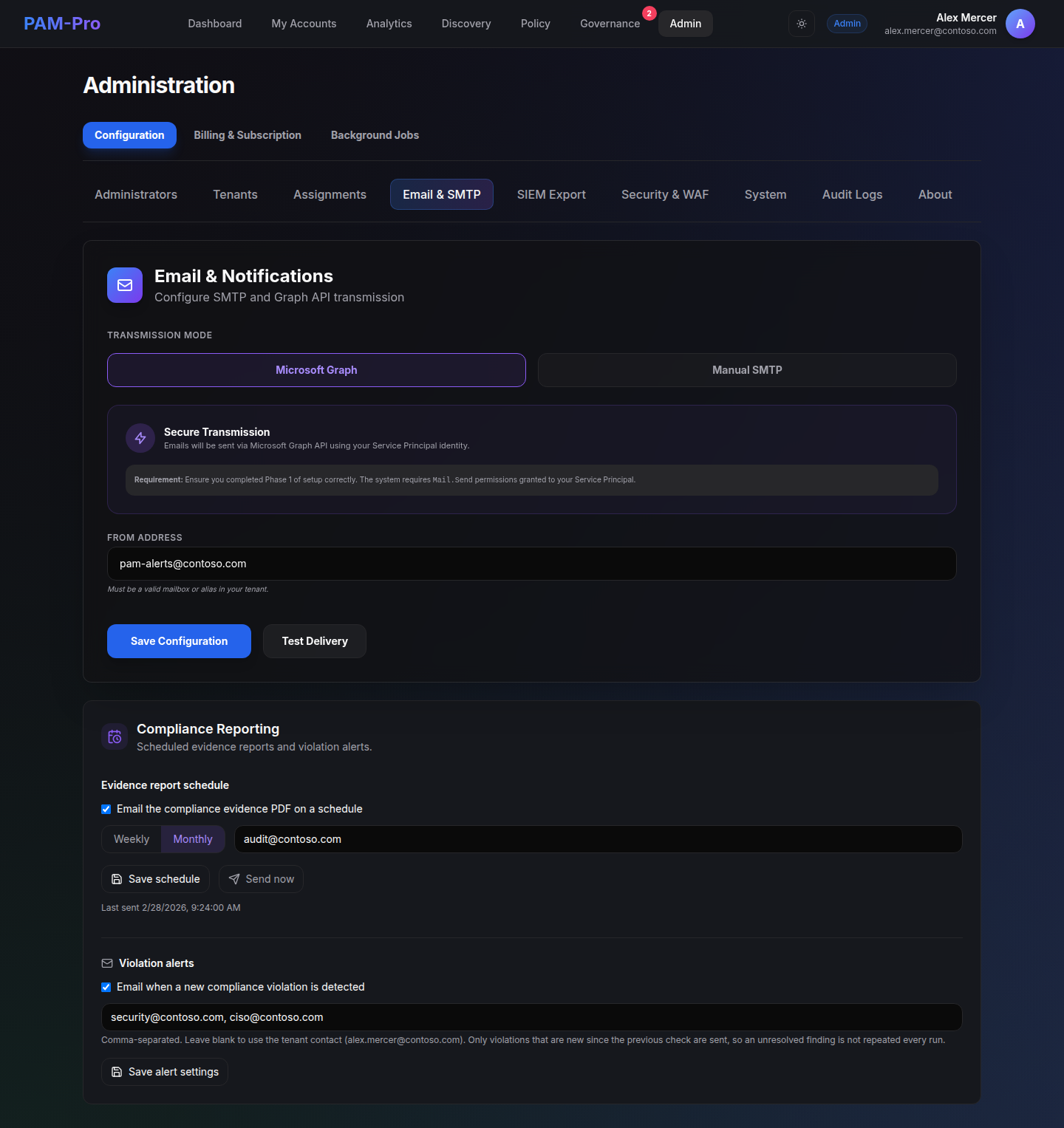
Configure and manage all outbound communications by navigating to Settings › Email & Notifications.
Delivery Transports
PAM-Pro supports two modern outbound email delivery methods:
1. Custom SMTP Relay
Ideal for organizations utilizing enterprise mail relays (such as SendGrid, Amazon SES, or on-premises SMTP servers):
- SMTP Host: The fully qualified domain name of your mail server (e.g.,
smtp.sendgrid.net). - Port: Port 587 (TLS/STARTTLS) or Port 465 (SSL).
- Authentication: Username and API key/password. PAM-Pro securely manages relay credentials in tenant Key Vault storage.
- From Address: Verified outbound sender email address matching your corporate domain.
2. Microsoft Graph Direct Send
For Microsoft 365 environments, PAM-Pro can dispatch emails natively via the Microsoft Graph API using the tenant's consented Service Principal permissions, eliminating the need to maintain third-party SMTP credentials.
Verifying Transport Setup
After configuring your relay settings:
- Enter an administrative recipient in the Test Email Address field.
- Click Send Test Email.
- PAM-Pro validates TLS handshakes and authentication with the mail server, confirming transport readiness with a live status message.
Core Notification Workflows
Once enabled, the notification engine powers three critical workflows:
- Just-In-Time Elevation Notifications: Dispatches real-time alerts to designated policy approvers whenever a user requests elevated access, including direct deep links to the approval interface. Requesters also receive confirmation emails when requests are approved or rejected.
- Scheduled Compliance Reports: Automatically compiles and emails evidence-grade SOC 2 Security Brief PDFs to executive and audit stakeholders on a weekly or monthly cadence.
- Compliance Violation Alerts: Alerts security engineers immediately when new policy violations (e.g., overdue password rotations or unmanaged privileged accounts) are detected by the continuous monitoring engine.
Security Standard: All notification email bodies strictly escape dynamic metadata (such as account names, justifications, and ticket IDs) to ensure complete protection against HTML and script injection attacks.
© 2026 Huntoso LLC. All rights reserved.