Microsoft Entra ID SSO Configuration
As a prerequisite for initializing the PAM-Pro Governance Layer, a dedicated OIDC App Registration must be provisioned within your Microsoft Entra ID tenant. This architectural step ensures that all privileged actions are anchored to your existing enterprise identity provider, maintaining a single source of truth for authentication and MFA attestation.
Critical RequirementThis configuration must be completed before attempting to sign up for a SaaS plan. The Client ID and Tenant ID generated during this process are required fields for environment initialization.
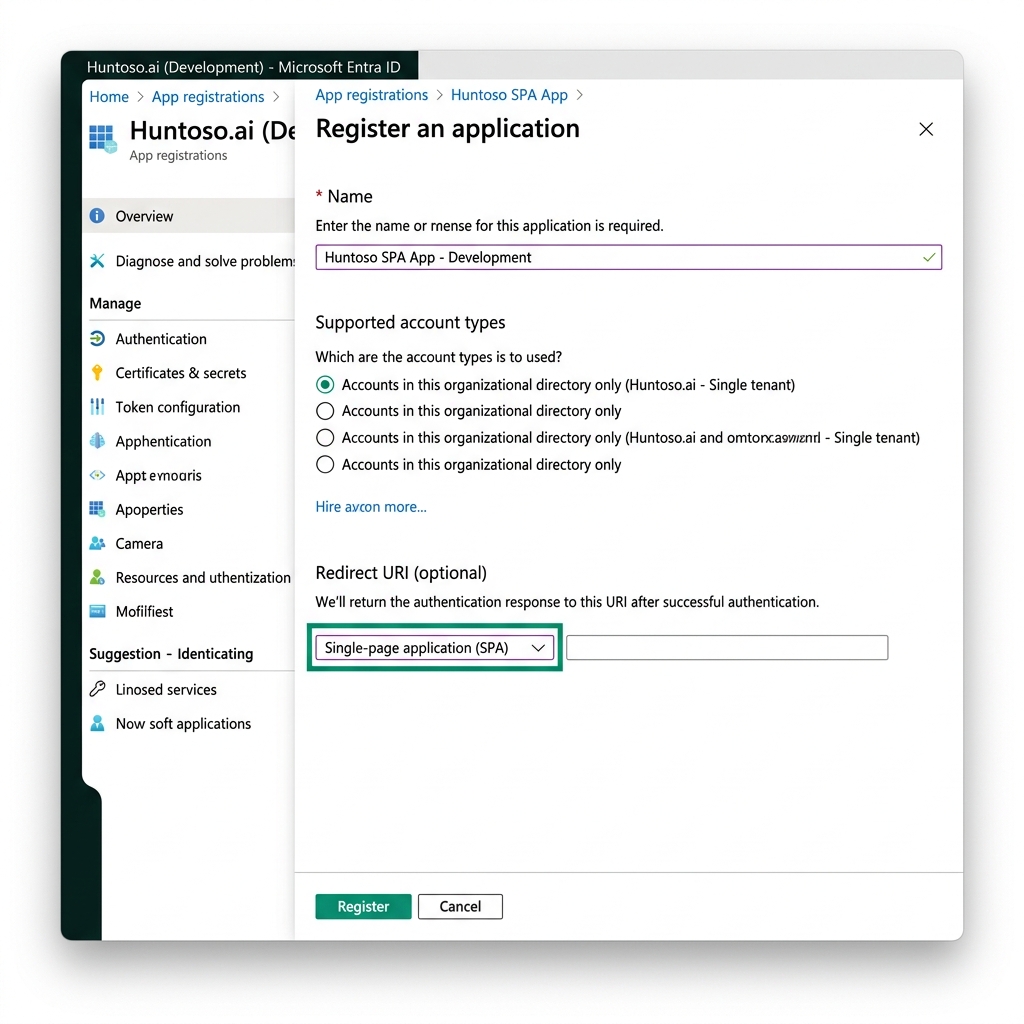
Step 1: Application Registration
Navigate to the Microsoft Entra admin center and follow these coordinates:
Identity > Applications > App registrations > New registration
- Name:
Huntoso PAM-Pro Suite(or your preferred enterprise naming convention). - Supported account types: Select
Accounts in this organizational directory only (Single tenant).
Step 2: Platform Configuration
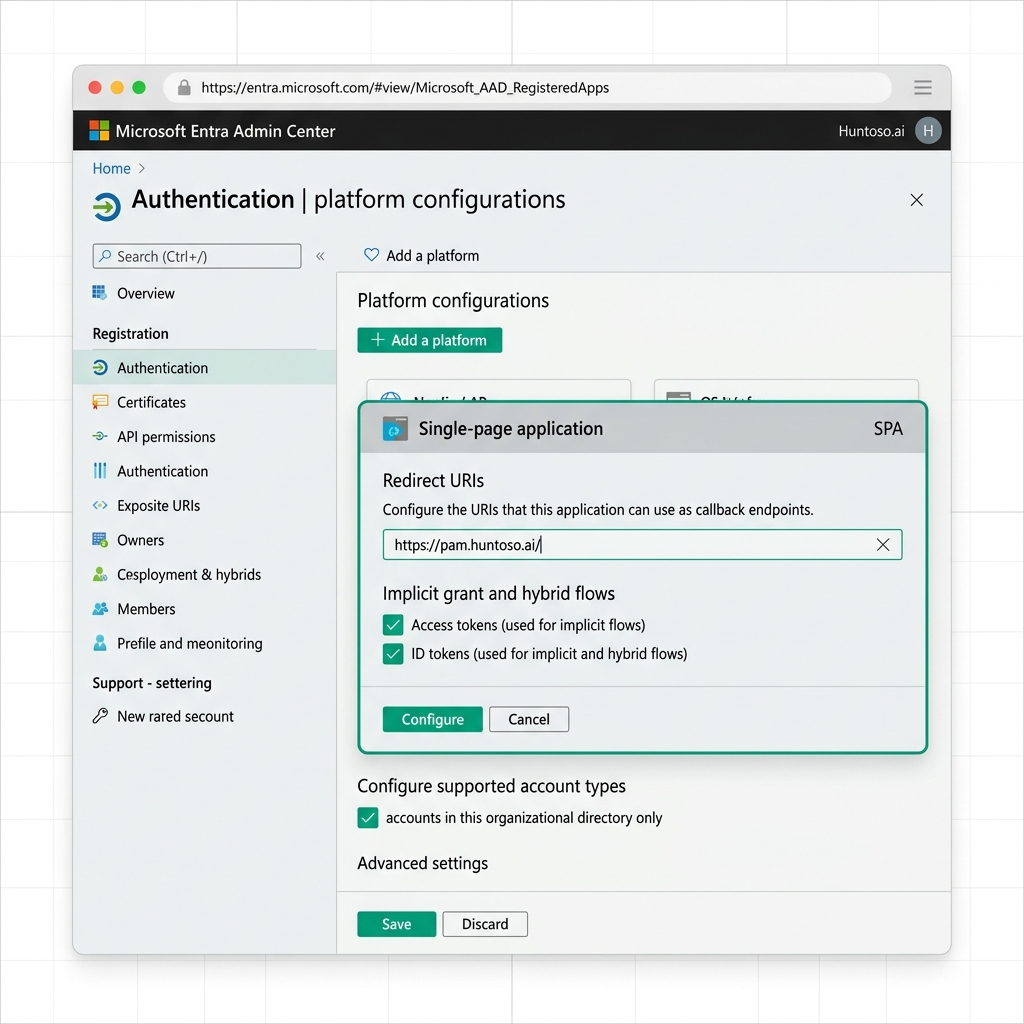
Once the application is created, you must define the platform type to support modern OpenID Connect (OIDC) flows. Common legacy "Web" redirects are insufficient for the PAM-Pro agentic engine.
- Select Authentication from the left sidebar.
- Click + Add a platform and select Single-page application (SPA).
Redirect URI SyntaxInput the following exact URI:
https://pam.huntoso.ai/. Ensure there are no trailing slashes or whitespace, as this is validated against the OIDC state payload during login.
Step 3: API Permissions & Consent
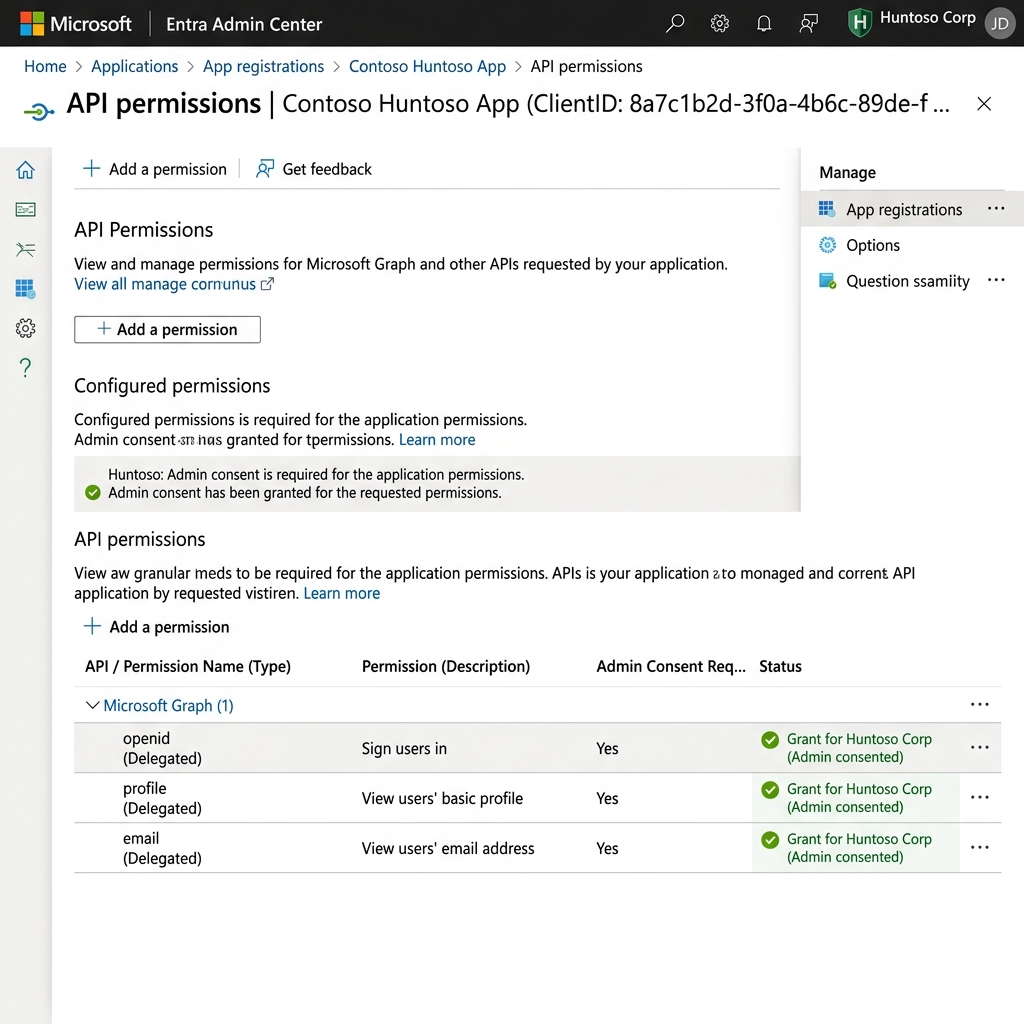
The PAM-Pro engine requires basic identity claims to map your Entra ID principal to the internal governance roles. Granting these scopes does not grant access to your directory data beyond the authenticated user's profile.
- Navigate to API permissions.
- Ensure the following Microsoft Graph (Delegated) permissions are present:
emailopenidprofile
- Click Grant admin consent for [Your Org] to suppress user-level prompts during onboarding.
Step 4: Extract Metadata for Onboarding
Return to the Overview blade to collect the values required for your Huntoso subscription:
Application (client) ID
The unique identifier for the Huntoso App in your tenant.
Directory (tenant) ID
Required for Home Realm Discovery (HRD) routing logic.
Reference Material
© 2026 Huntoso LLC. All rights reserved.