Vaulted Secrets
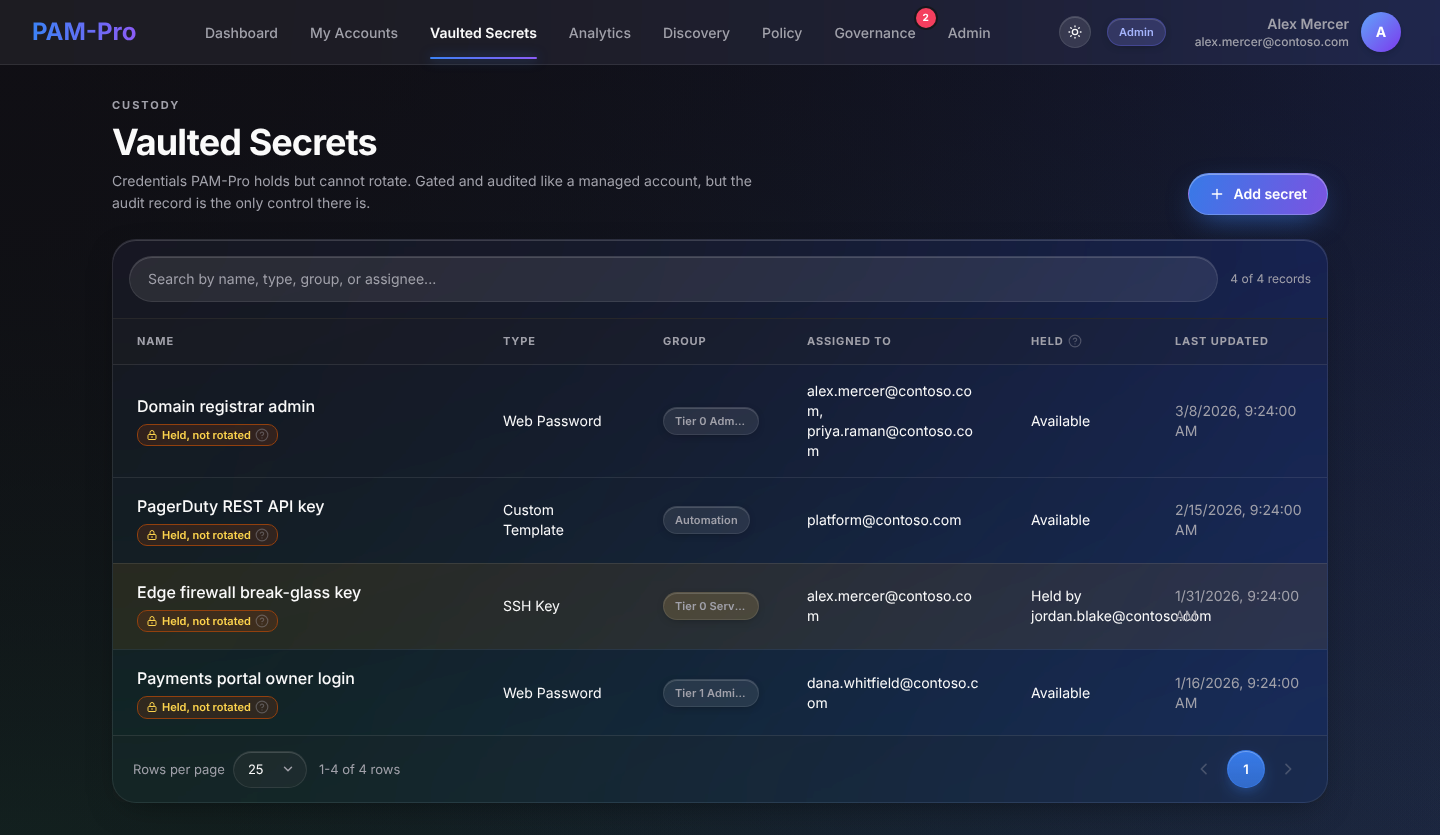
Not every privileged credential belongs to an Entra ID account that PAM-Pro can reset. A registrar login, a third-party API key and the break-glass key for a firewall all need the same protection as a managed account, but there is no route from PAM-Pro to the system each one belongs to. Vaulted Secrets holds these credentials. They are gated by policy, assigned to named people and audited like a managed account, but they are never rotated.
Held, not rotated: every vaulted record carries a standing Held, not rotated badge. PAM-Pro stores the credential under the tenant root key and records every release of it, but cannot change it. To retire a value, change it on the system it belongs to and update the record here.
Before You Start: Activate a Module
The Vaulted Secrets entry appears in the navigation once an administrator has activated at least one credential module under Admin › Configuration › Modules. A module is one kind of credential PAM-Pro can hold. A module that is not activated refuses records, so nothing of that kind can be added until it is switched on.
- Web Password: a username and password for a web login, with an optional URL and notes.
- SSH Key: a private key with its passphrase, plus the username, host and port it is used with.
- Custom Template: a secret whose field set is defined by the source system rather than by PAM-Pro.
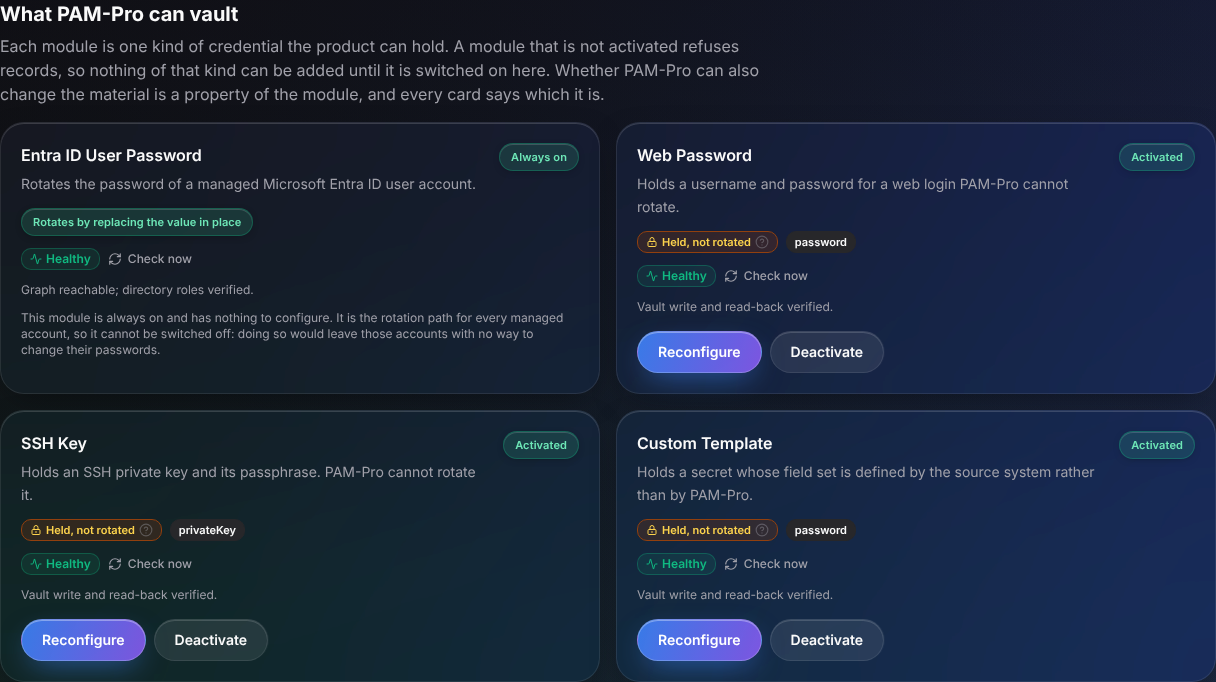
Deactivating a module does not delete anything. Records vaulted under it are retained and the material stays in the vault.
Adding a Secret
- Open Vaulted Secrets and click Add secret. Only administrators see this button.
- Choose the kind of credential. The form is built from the fields that module declares, so each kind asks for exactly its own fields.
- Give the record a name and fill in the fields. Fields marked as secret are stored wrapped and are never shown again in the list or the record.
- Assign the record to the people who may reveal it, and optionally enter a Group, which is used for grouping and policy matching.
Revealing a Secret
Select a record to open it. The detail view shows the custody reason, the policy that governs it, who it is assigned to and its non-secret fields. Secret fields show as Stored, hidden until revealed.
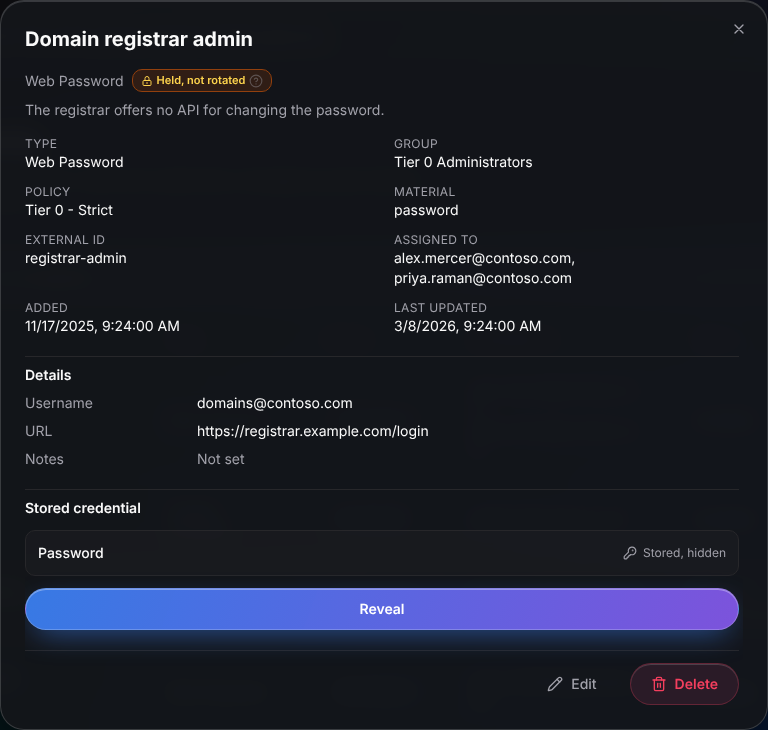
Click Reveal. The record's policy decides what happens next, exactly as for a managed account: it may ask for a justification and ticket ID, require approval, or require a fresh MFA. Every reveal is written to the audit log.
Holds Are Advisory
A reveal takes a hold on the record, shown as Held by you or Held by another user in the list. Because PAM-Pro cannot change the credential, a hold cannot cut off the holder's copy: it tells other people the record is in use, and nothing more. Checking in releases the hold and rotates nothing, so the credential keeps working afterwards.
Editing and Deleting
Administrators can edit a record's name and fields or delete it. Deleting destroys the stored copy of the credential and it cannot be recovered.
Licensing
Vaulted Secrets do not count against your licensed managed-account limit. See the FAQ for what is and is not billed.
© 2026 Huntoso LLC. All rights reserved.